


⚽
Live sports markets
Hundreds of daily events across football, basketball, tennis and cricket. 1X2, handicap, over/under and BTTS markets available in-play. Tanzanian Premier League covered alongside Premier League and Champions League fixtures.
The mCHEZA Tanzania mobile app puts sports betting, crash games, live casino and TZS payments into one fast interface. Whether you're following a Simba SC match from Dar es Salaam or checking odds on a Champions League night in Arusha, the app keeps you connected without needing a desktop browser.
Compared with the mobile website, the dedicated app loads pre-match markets faster, holds your session more reliably on 3G connections common outside Dar es Salaam, and sends push alerts when your cashout window opens. Those small differences add up across a long betting session.
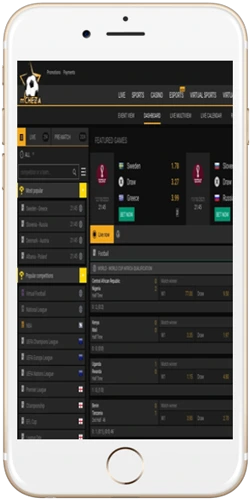
The app is not a stripped-down version of the website. It carries the full product: pre-match and live sports markets, Aviator and other crash games, live dealer tables from Evolution, slots from Pragmatic Play and Booming Games, plus the same TZS deposit and withdrawal flow you'd use on desktop. The difference is in the layout — everything is built for a 6-inch screen first.
Live betting in particular benefits from the app. Odds on Tanzanian Premier League matches, English Premier League, AFCON qualifiers and NBA games all update in real time. If you're tracking a BTTS bet on a Yanga SC fixture, you'll notice the in-play interface refreshes more smoothly on the app than in a mobile browser tab.
Hundreds of daily events across football, basketball, tennis and cricket. 1X2, handicap, over/under and BTTS markets available in-play. Tanzanian Premier League covered alongside Premier League and Champions League fixtures.
Aviator by Spribe (RTP 97%) runs smoothly on Android 8+ and iOS 14+. JetX, Spaceman and FootballX also available. Round time under 15 seconds means you can fit several games into a short commute on the dala dala.
Sweet Bonanza (RTP 96.51%), Fire 88 and 888 Gold load in full graphic quality. Live dealer tables from Evolution include Lightning Roulette (RTP 97.30%) and Speed Baccarat (RTP 98.94% on Banker). No feature cuts versus desktop.
M-Pesa, Tigo Pesa, Airtel Money and HaloPesa all work inside the app. Minimum deposit 1,400 TZS. Mobile money withdrawals process the same day; no separate verification step beyond standard KYC already done at registration.
Enable notifications to get alerts when live odds shift on your tracked markets or when your cashout value crosses a set threshold. Useful for accumulators running across multiple evening fixtures in different time zones.
Fingerprint and face unlock supported on compatible Android and iOS devices. Two-factor verification available for account security. KYC documents submitted once; no re-upload required when switching between app and browser.
Android installation takes an extra step because the APK file sits outside the Google Play Store. That is normal for betting apps in Tanzania and across East Africa; it is not a security risk as long as you download directly from the official mCHEZA Tanzania website. iOS users go through the App Store link, which is a standard install with no side-loading needed.
The app runs on a wide range of devices, including older mid-range Android phones common in Tanzania like the Tecno Spark series and Infinix Hot line. You do not need a flagship device. The minimum specs are modest, and in practice any phone bought in the last four years should handle Aviator, live betting and basic slot games without frame drops.